Step 1:
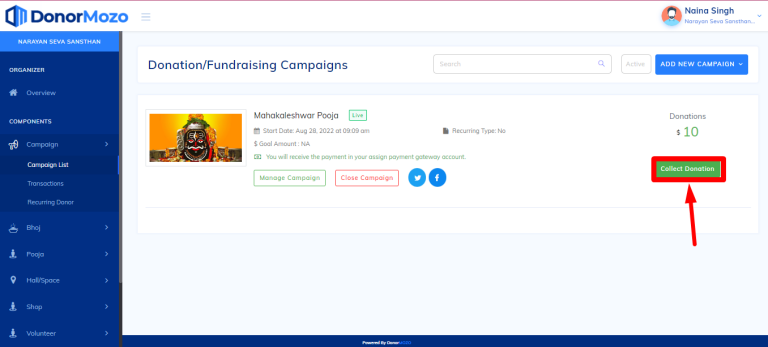
To collect donation, go to the campaign list and click on the "Collect Donations" button as you can see the image below.
Step 2:
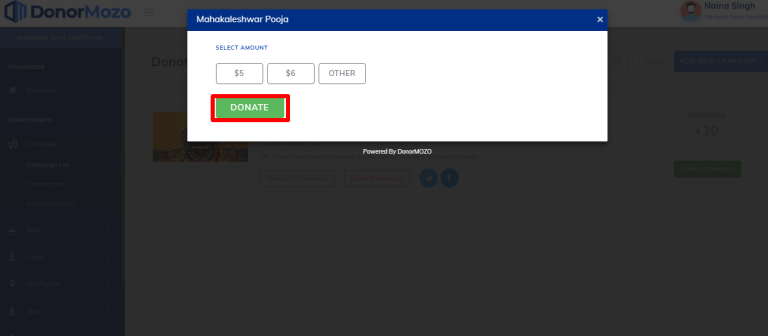
Now select the amount and click on the "Donate" button. here you can enter amount also by clicking on the other field.
Step 3:
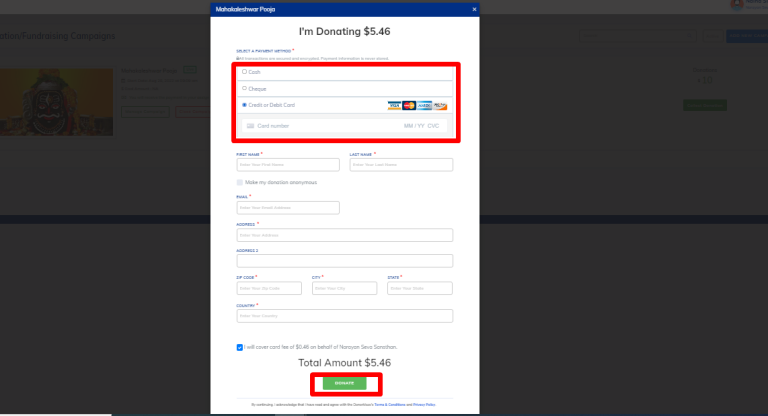
Once you select the amount and click on the donate button you will be redirected to the checkout page. now select payment method(credit card, cheque and credit card) and fill all the required information and click on "Donate" button as you can see the image below.
Step 4:
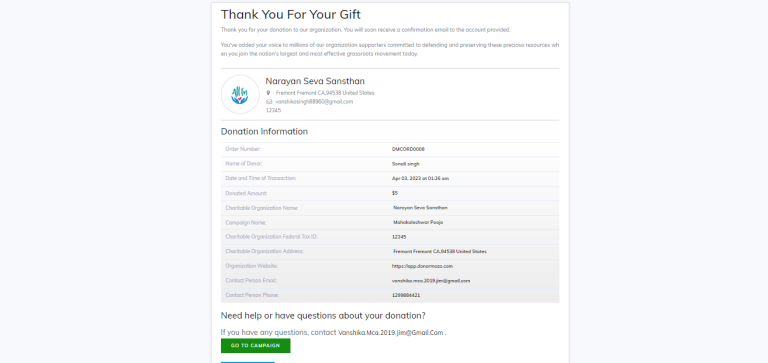
After making transaction "thank you" page will displayed as you can see the image below.